Thanks @mythz for the quick response and feature addition!
I haven’t had a chance to check it out yet, but will let you know how it works. Looking at your unit test, it appears that it will function as expected.
I had some initial trouble setting up the FILESTREAM feature for SqlServer, but figured it out.
To enable it, you must run the SqlConfiguration application and turn it on before updating the database to support FileStreams or before creating a FileGroup or FileTable.
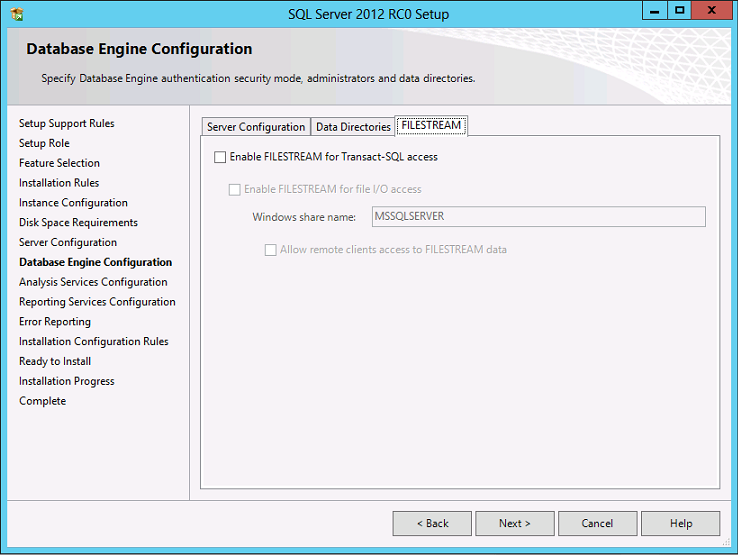
I would recommend checking at least the first two, but all three if you want to remotely access the files, and setting the Windows share name (which I believe you can leave blank if you want) to something else. Once this has been done, the options that were previously disabled should be accessible.
https://msdn.microsoft.com/en-us/library/gg509097.aspx
Once your FileGroup and Filetable(s) are set up and if you selected the first two options in the configuration app, you can access the files by navigating to the UNC path "\<instance-level FILESTREAM share><database-level directory><FileTable directory>" and any changes made to the files will be immediately reflected in the database. Plus, any changes made from the database side, will be reflected by the file-system. If you can’t remember the path, you can right click on the FileTable in SSMS and select it from there.
This puts a nice database layer between the file-system and the application, but keep in mind that path bound to the FileGroup must be a local path.
Many Thanks,
Kevin