System.MissingMethodException: ‘Method not found: ‘Void ServiceStack.TagAttribute..ctor(System.String, ServiceStack.ApplyTo)’.’
This is indicative of a binary incompatibility issue. Every ServiceStack package should be referencing the same version. Alternatively you can also reference a wildcard version like 10.* to ensure your projects use the latest version in NuGet.
<PackageReference Include="ServiceStack" Version="10.*" />
<PackageReference Include="ServiceStack.Extensions" Version="10.*" />
Thanks
I have rationalized the nuget packages and the error has now disappeared.
However, I am left with a completely blank page.
No errors when I refresh the browser, just a blank page.
The application works perfectly well with the version 5 dll’s but not it seems with version 10.0.6.
Is there anything you can recommend, I know this was reported in the past with another user but I cant remember if there was a recommended solution or not.
Kindest Regards
Phil
No it’s not clear what the issue could be, but v5 to v10 is a fairly big jump around that’s close to 5 years apart. I’d be looking for JavaScript Console or Error logging errors. Whether it’s blank for 1 pages or all pages.
You should configure your App to use DebugMode to potentially return additional information about the rror.
Yes its very frustrating as there dont appear to be any error messages at all.
its running under a debug build so the DebugMode would have been automatically set.
I have set the “DebugMode = true” on the host config just in case but there are still no errors.
Has there been a change from V5 –> V10 in the way that plugins are initialized?
I am just thinking that the plugins are lot loading properly, if at all.
There’s been 5 years of changes between these releases, which have been detailed in the release notes:
If you’re trying to port to a new project configured with Endpoint Routing and ASP .NET Core IOC all Plugins would need to use services.AddPlugin() to register plugins.
You read about these changes in the v8.1 Release Notes.
I found out, purely by mistake really, that the API enpoints are displayed in the /metadata page rather than the root of the webservice as they were in V5 so when I launch the debugger i have to wait for the blank page to fully load and then add /metadata to the url in the browser and then the page is displayed as normal, well almost, it appears that the template for the page appears to have changed over the years and the page header now contains a list of the endpoints as well as in the left margin as in the screen shot.
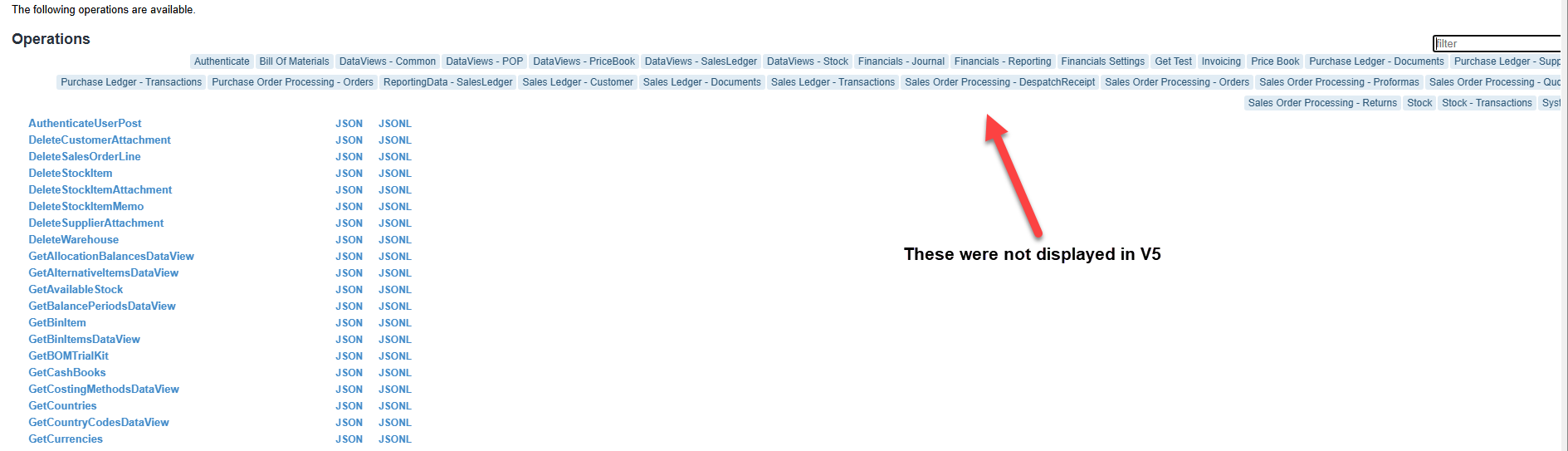
The tag labels allow you to group APIs under a common tag using the [Tag] attribute, like normal tags they’re typically short and concise and used in multiple places to group APIs.
For longer descriptions about an API you can use the [Description] attribute.