I have created a new role using the Identity Roles UI, but it don’t show up in the dropdown. I have renamed the contractor role to something else, and yet the dropdown still will not reflect that new name. Where is the source for this dropdown and how can I change it?
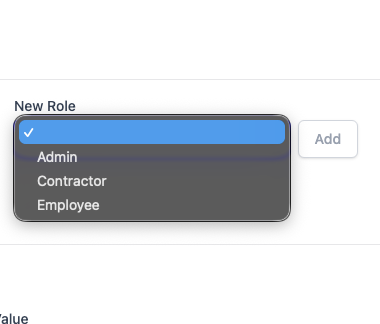
The list of roles are statically populated by references to the Roles in your codebase, e.g. by use of the [ValidateHasRole], [RequiredRole], [RequiresAnyRole], etc.
Ok, just a little feature request, have it controlled from the list of the roles in the AspnetRoles tables or at least provide an option to control the source. I was going crazy trying to discern the location. This to me makes sense because I will often have conditional logic in the service or blazor that looks to see if a user is in a specific role to determine behavior.
All ServiceStack metadata for APIs are inferred from their static definitions which doesn’t require access to infrastructure dependencies on Startup, e.g. a temporary db connection failure could prevent your App from re/starting.
I guess I am confused because a db query is made to show all the roles my selected user is in, so why can’t another query be executed to select all the roles from the same database? I can workaround this issue so it is not a deal breaker.
It’s populated from the API Metadata which is immutable after startup. It’s possible to ignore it and use some other combination from external sources, but it only looks at the API metadata that’s known to ServiceStack.
1 Like